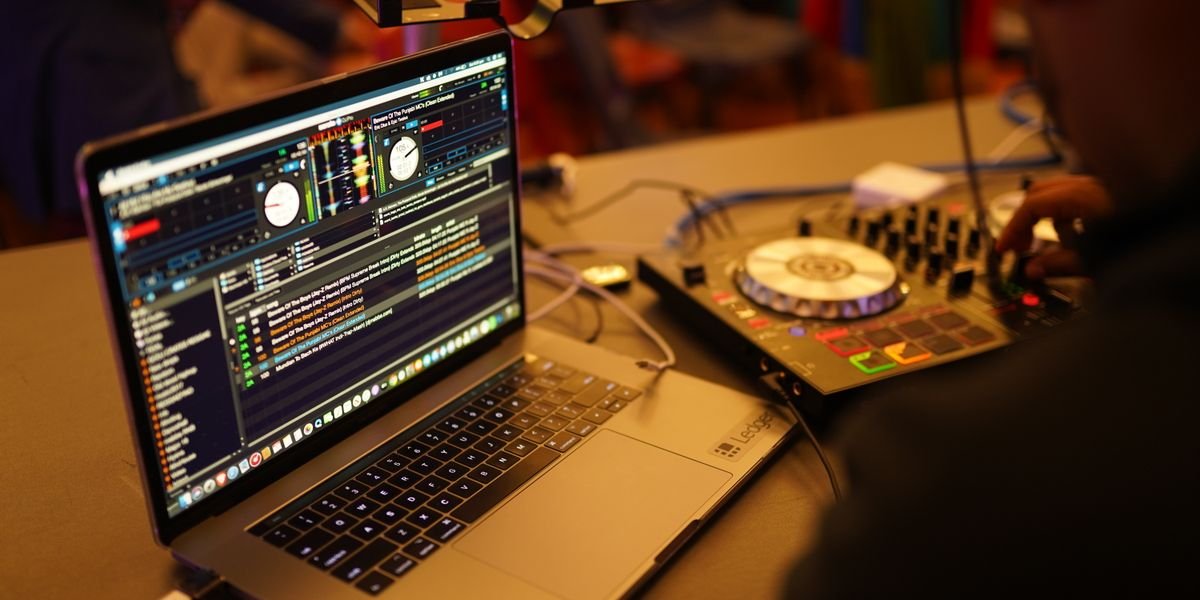
Photo by Mushtaq Hussain on Pexels
What Software Do DJs Use? The Short Answer
Most DJs use Rekordbox or Serato. These two are the most popular DJ software out there, and Traktor, VirtualDJ, and Djay Pro round out the main options you’ll see in clubs and bedrooms alike.
Rekordbox is the tool for DJs who play on Pioneer CDJs, the standard club setup. Serato DJ Pro is the pick for turntablism and hip-hop, where scratching and tight control matter most. The rekordbox vs serato debate is the one you’ll run into most often when choosing between them.
The right DJ software for you comes down to three things: your hardware, your genre, and your goals. A controller you already own may only work with one program.
This guide walks you through a dj software comparison built as a decision tree, not a ranked list.
What Does DJ Software Actually Do?
Every DJ program does two jobs: it prepares your music before the gig, and it mixes it live.
Library preparation: beatgrids, cue points, and playlists
This is the desk work. The software analyzes each track and locks in its key and BPM.
That analysis draws a beatgrid — a map of every beat — so tracks stay locked when you mix them.
You then drop cue points at the spots that matter: the drop, the vocal, the break.
Playlists keep it all organized, so you can find the next track in seconds.
Performance tool: mixing, effects, and stems
This is the live half. You blend two tracks, ride the EQ, and add effects.
Modern software also does real-time stem separation, splitting a track into vocals, drums, bass, and melody on the fly.
That means you can swap an acapella over a beat without hunting for an edit.
Both halves matter. A strong library makes the performance half easy — and that’s the real difference between programs.
The Big Five: Rekordbox, Serato, Traktor, VirtualDJ, and Djay Pro
Rekordbox and Serato are the two most widely used DJ programs, with Traktor, VirtualDJ, and Djay Pro rounding out the major options.
Each one has a reputation. Rekordbox is built for club prep — it’s Pioneer DJ’s own software, so your USB drive plugs straight into CDJs. Serato DJ Pro is the pick for turntablism and hip-hop, thanks to tight vinyl and DVS control.
Traktor is known for creative effects and remix decks. VirtualDJ packs in a huge range of features and works with almost any controller. Djay Pro has a clean look and runs on iOS and Android, so a phone or tablet can be your whole setup.
Most DJ software covers the basics — beatgrids, cue points, key and BPM detection.
Rekordbox: The Club Standard for Pioneer DJ Gear
Rekordbox is Pioneer DJ’s own software, and it’s the tool most DJs use to prep music for club CDJs. If your goal is playing in clubs, this is the program to learn.
Library preparation and export mode
You build your library here first. Rekordbox analyzes your tracks, sets beatgrids, and detects key and BPM. You add cue points and build playlists.
Then you use rekordbox export mode. This writes your tracks, cues, and playlists to a USB drive. Plug that drive into any Pioneer CDJ and everything loads exactly how you set it up.
Performance mode and hardware integration
Rekordbox also runs live sets. Connect a Pioneer DJ controller and you mix, loop, and add effects. It syncs with CDJs over Pro DJ Link, which keeps multiple players in time.
The catch: it’s resource-heavy. It wants a fast laptop with plenty of RAM. Its stem separation is also weaker than Serato’s or Djay Pro’s.
Pricing: free vs. subscription
Is Rekordbox still free? Yes — the free tier covers library prep and export mode. That’s enough for many club DJs.
Advanced features require a subscription. The Creative plan unlocks performance mode, recording, and cloud library sync.
Pros and cons of Rekordbox
Pros: It’s the club standard. Export mode is seamless with CDJs. The free version is genuinely useful.
Cons: It’s heavy on your computer. Stem quality is not top-tier. Performance mode costs extra.
If you play on Pioneer gear, Rekordbox is the safe pick.
Serato DJ Pro: The Choice for Turntablism and Hip-Hop
Serato DJ Pro is the top pick for scratch DJs, hip-hop, and DVS setups. If you cut, juggle, or scratch, this is likely your tool.
DVS and turntablism features
DVS stands for digital vinyl system. It lets you control digital tracks with real turntables and timecode vinyl.
Serato built its name on this. The latency is low, so scratches feel tight and natural.
It also works with a wide range of hardware, from Rane mixers to Pioneer DJ controllers.
Stems and performance tools
Serato DJ Pro has real-time stem separation. You can pull vocals, drums, bass, and melody apart while you play.
The sampler and cue point tools are fast and clean. Beat Jump and Flip let you rearrange tracks on the fly.
One catch: stem separation is a paid add-on, not part of the base price.
Pricing: Lite, Pro, and Suite
Serato DJ Lite is free. It’s a good starting point, but it’s limited.
Serato DJ Pro costs a one-time fee or a subscription. It unlocks the full feature set.
The Suite bundle adds stems, FX packs, and video. That’s the top tier.
A key limitation: Pro has no key shifting unless you pay for Pitch ‘n Time. That upgrade costs extra.
Pros and cons of Serato DJ Pro
Pros: Best-in-class DVS. Tight scratching. Strong hip-hop and open-format tools.
Cons: It’s a memory hog. Beatgrids can be inaccurate, so you may need to fix them by hand. No key shifting without the premium add-on.
If you scratch or play hip-hop, Serato is worth it.
Traktor Pro 4: Creative Effects and Remixing
Traktor Pro 4 is the DJ software electronic music producers reach for when they want to do more than just mix two tracks together.
It’s built for layering, tweaking, and reshaping sound live.
Effects and remix decks
Traktor’s effects section is its signature. You get multiple FX units you can route to decks, the mixer, or individual channels.
The traktor remix decks let you fire off loops, one-shots, and samples in sync with your tracks. That turns a set into a live performance.
Looping is deep too. You can set loops on the fly, move them, and resize them without losing the beat.
Hardware and software integration
Traktor works best with Native Instruments gear like the Kontrol S4 and S2 controllers. The mapping is tight and plug-and-play.
It also supports a wide range of hardware from other brands, though setup can take more work.
One caution: Native Instruments shut down the Traktor DJ iPad app. If you want a mobile DJ app, look elsewhere.
Pricing and value
Traktor Pro 4 is a one-time purchase. No subscription. That’s a real plus if you hate monthly fees.
You buy it once and keep it. Updates within the version are included.
Pros and cons of Traktor Pro 4
Pros: Powerful effects. Strong looping. Remix decks for live sampling. One-time price.
Cons: The interface feels dated next to newer software. There’s no video support. And the mobile app is gone.
If you produce electronic music and want creative control, Traktor earns its spot.
VirtualDJ: The Most Versatile and Feature-Packed Option
VirtualDJ is the Swiss Army knife of DJ software. It runs on almost any gear and handles video like a pro.
Hardware compatibility and video mixing
VirtualDJ works with more controllers than any other platform. That includes gear that Serato DJ Pro and Rekordbox don’t support.
It also mixes video, not just audio. You can play music videos and add visual effects on screen.
That’s why mobile DJs love it. Wedding and party DJs need video and lights, and VirtualDJ does both.
Real-time stem separation
VirtualDJ was one of the first to add real-time stem separation. That means it splits a track into vocals, drums, bass, and melody while it plays.
You can drop the vocals out of a song live. You can loop just the drums.
The quality is debated. Some DJs say it sounds thin next to Serato’s stems. Others find it good enough for live sets.
Pricing: free vs. Pro license
VirtualDJ has a free version for home use. You can learn on it without paying a cent.
The Pro license is a one-time buy. No subscription. That makes it one of the cheapest full-featured options out there.
Pros and cons of VirtualDJ
Pros: Huge range of hardware support. Video mixing. Real-time stems. One-time price. Free version to start.
Cons: Stem quality gets mixed reviews. Effects aren’t top-tier like Traktor’s. The interface can feel busy.
If you’re a mobile DJ, a video DJ, or you just want one tool that does everything, VirtualDJ is hard to beat.
Djay Pro: The Best-Looking and Most Cross-Platform
Djay Pro is the best-looking DJ software out there, and it runs on almost anything: Mac, Windows, iPhone, iPad, and Android.
That mix of clean design and true cross-platform support is why it stands out among DJ software options.
Cross-platform availability and streaming
Djay Pro has one of the widest device ranges of any DJ app. You can start a set on your phone or tablet and pick it up on a laptop.
It also plugs into streaming services like Tidal, SoundCloud, and Beatport. That gives you millions of tracks without buying a single file.
Neural Mix and stem separation
Djay Pro’s headline feature is Neural Mix. It pulls vocals, drums, and instruments apart in real time.
This is real-time stem separation, and it works well. You can loop a vocal or swap out a beat live.
The catch: Neural Mix needs a paid plan. The free tier won’t give it to you.
Pricing and subscription model
Here’s the part people ask about most: the djay Pro subscription cost. It runs about $7 a month, or roughly $50 a year.
There is no one-time buy. You pay forever, or you lose the advanced features.
Feature sets also vary by platform. The iOS and Android versions do less than the desktop build.
Pros: Gorgeous interface. Runs on Mac, Windows, iOS, and Android. Built-in streaming. Strong stem separation.
Cons: Subscription only. No lifetime license. Features differ across platforms. Limited hardware compatibility next to Serato or Rekordbox.
If you want the best-looking mobile DJ app and you don’t mind paying monthly, Djay Pro is a great fit.
How to Choose the Right DJ Software for You
Start with what you already own. Your gear decides more than anything else.
What hardware do you already own?
If you own a Pioneer DJ controller, choose Rekordbox. It talks to that gear natively, with zero setup fights.
If you scratch on turntables, choose Serato DJ Pro. Its DVS (digital vinyl system) is the scratch standard.
If you use Native Instruments gear like the Kontrol S4, Traktor is the natural match.
VirtualDJ supports the widest range of hardware, so it’s the safe pick for odd or older controllers.
What genre do you play?
Hip-hop and turntablism point to Serato. Open-format and mobile gigs point to VirtualDJ or Djay Pro.
Techno, house, and remix-heavy sets point to Traktor. Its effects and looping are still class-leading.
Club and festival sets point to Rekordbox. Export a USB and walk onto any Pioneer CDJ setup.
What’s your budget?
Free DJ software exists, and it’s genuinely usable. Rekordbox’s free tier covers library prep and export. Serato DJ Lite is free with supported hardware. VirtualDJ is free for home use.
Paid tiers unlock advanced features. Traktor Pro 4 is a one-time purchase. Serato DJ Pro and Djay Pro are subscriptions or paid upgrades.
Beginners should start free, learn the basics, then pay only when a feature blocks them.
Do you need standalone or laptop DJing?
Laptop DJing means your computer runs the show. It’s cheaper and more flexible.
Standalone means the hardware runs without a laptop. Rekordbox and Serato both support standalone gear now.
If you want to leave the laptop at home, check standalone support before buying anything.
The quick decision tree: Pioneer controller → Rekordbox. You scratch → Serato. You produce → Traktor. You need video → VirtualDJ. You want mobile → Djay Pro.
What Software Do DJs Use for Free?
Every major DJ platform has a free tier, but each one limits you in a different way. Here’s what you actually get before paying.
Rekordbox free vs. paid
Rekordbox’s free plan covers library prep and export mode, so you can analyze tracks, set cue points, and build USB drives for Pioneer CDJs. Performance mode is free only when a Pioneer DJ controller is plugged in. That’s the hardware unlock. No controller, no performance mode.
Serato DJ Lite limitations
Serato DJ Lite is free and works with a short list of entry-level controllers. You get two decks, basic effects, and key lock. Advanced features like recording, four decks, and full DVS support require Serato DJ Pro.
VirtualDJ free version restrictions
VirtualDJ is free for home use, but only with a keyboard and mouse. Plug in a controller and the free version stops after ten minutes. A one-time Pro license removes that limit. Mixxx is fully free and open source, while Djay Pro offers a free trial before its subscription starts.
What Software Do DJs Use for Beginners?
VirtualDJ, Djay Pro, Rekordbox, and Traktor are the friendliest starting points for new DJs. Each one is easy to learn and runs on Windows or Mac.
VirtualDJ is the simplest place to start. It works with a wide range of hardware, and its free version lets you practice with just a keyboard and mouse. That makes it a low-risk first step.
Djay Pro has a clean layout that suits a phone or tablet as much as a laptop. Its Neural Mix stems are easy to grasp, so you can learn mixing without a steep curve.
Rekordbox for beginners is a smart long-term pick. It’s free to download, and learning it now means you’re ready for Pioneer CDJs in any club. You build your library once and keep it.
Traktor is a solid choice if you produce electronic music. Its effects and looping tools reward practice, though the interface feels older than the rest.
Serato is the one to skip at first. Serato DJ Pro costs more, and its DVS and turntablism focus suits scratch DJs, not newcomers. Start elsewhere, then move to it later.
What Software Do DJs Use for PC?
Rekordbox and Serato are the two most widely used windows dj software programs on Windows, with Traktor, VirtualDJ, Djay Pro, and Mixxx rounding out the main options. Every one of them runs on a PC, but they ask different things of your machine.
Rekordbox is the pick if you play clubs. It prepares USB sticks for Pioneer CDJs and runs your whole library. It is free to download, though the full feature set needs a subscription or a connected Pioneer DJ controller.
Serato DJ Pro is built for scratching and hip-hop. It is a memory hog, so give it 8GB of RAM or more and a solid-state drive. Beatgrids can drift, and key shifting costs extra.
Traktor Pro 4 suits electronic music and remixing. VirtualDJ covers the widest range of hardware and handles video. Djay Pro is the easiest to learn. Mixxx is the free, open-source choice.
Check the specs before you commit. Most of these want a recent Intel i5 or Ryzen 5, 8GB of RAM, and Windows 10 or 11.
What Software Do Famous DJs Use?
David Guetta uses Rekordbox, and so does John Summit. That is the short answer, and it says a lot about how the pros work. As for David Guetta DJ software, Rekordbox is his go-to.
Most club DJs land on Rekordbox because clubs run on Pioneer CDJs. You prep your tracks at home, export to a USB stick, and the CDJ reads your cues and beatgrids exactly as you set them.
Scratch and hip-hop DJs usually go the other way. Serato DJ Pro is the standard for turntablism, battle sets, and DVS routines.
Some big names mix it up. A few keep Serato for scratch gigs and Rekordbox for club nights, running two libraries side by side.
The lesson is simple. Pick the software that matches the gear in the booth you want to play.
John Summit uses Rekordbox, the same platform as David Guetta. Like most club and festival DJs, he plays on Pioneer CDJs, and Rekordbox is built to prepare tracks for them. His sets are prepped in Rekordbox and played off USB drives.
The Hidden Cost of Switching DJ Software (and How to Avoid It)
Switching DJ software is rarely free, even when the software itself is. The price shows up in lost work, not license fees.
What you lose when you switch
Your cue points and hot cues usually don’t survive the trip. Most programs store them in their own format, so Rekordbox cues won’t open in Serato DJ Pro, and the reverse holds too.
Playlists need rebuilding by hand. Beatgrids get re-analyzed, and key and BPM data can shift slightly on the new engine.
Then there’s your muscle memory. Every layout differs, so you need to learn new workflows mid-gig.
How long migration actually takes
Plan on two to four hours for a 500-track library. That covers re-analysis, fixing beatgrids, and re-setting cues.
A 5,000-track library can eat a full weekend. Free tools like Rekordbox’s XML export help, but nothing transfers perfectly.
How to test software before committing
Demo every option first. Rekordbox, Serato DJ Lite, VirtualDJ, and Djay Pro all offer free versions or trials.
Load 20 of your own tracks and mix for an hour. If the workflow clicks, commit. Choosing early saves you this whole headache later.
Platform Longevity: Will Your DJ Software Still Exist in 5 Years?
DJ software does disappear, and it has happened to popular programs before.
Native Instruments killed the Traktor DJ iPad app in 2021, leaving users with no path forward. MixMeister, once a staple for mixers, faded away after its owner stopped developing it.
So how do you judge whether your software will stick around?
Look at ownership. Companies get bought, and new owners sometimes change direction. Subscription pivots are another warning sign — when a one-time purchase turns into a monthly fee, the company may be struggling to fund development.
Check update history. Software that gets regular bug fixes and new features, like stem separation, is alive. Software that hasn’t updated in a year or more is not.
Finally, look at the user base. Rekordbox and Serato DJ Pro have huge communities tied to major hardware makers, so they carry low risk. Smaller tools carry more.
No software is guaranteed forever. But steady updates, stable ownership, and a large user base are your best signals.
Stem Separation Quality Compared: Which DJ Software Has the Best Stems?
No DJ software has clearly won the stem separation race yet. Every major platform now splits tracks into vocals, drums, bass, and other parts, but tests disagree on which one sounds cleanest.
VirtualDJ was first to offer real-time stem separation, and its live stems remain a headline feature. Reviewers often call it the most flexible, though some report watery vocals and bleeding drums on busy tracks.
Djay Pro’s Neural Mix is widely praised for clean, usable splits. Many listeners rank it at or near the top, especially on Apple hardware, where it runs smoothly.
Serato DJ Pro’s stems get mixed reviews. Some DJs love the instant a cappella and instrumental control; others say the separation sounds thin compared with Neural Mix.
Rekordbox sits mid-pack. Its stems work fine for quick edits, but most users agree the quality trails Djay Pro and VirtualDJ.
Traktor Pro 4 added stems later, and early tests show solid but unspectacular results.
The honest takeaway: quality depends on the track, your hardware, and whether you need stems live or in the studio. Try each free tier and trust your ears, not the marketing.
Frequently Asked Questions About DJ Software
Is Rekordbox still free?
Yes. Rekordbox still has a free tier, and it covers everything most DJs need. You get library prep, beatgrids, cue points, and export mode at no cost. The catch: you only unlock Performance mode when you plug in a compatible Pioneer DJ controller. Without hardware, the free plan is mostly a prep tool. Advanced features like cloud library sync and some effects sit behind the $10–$15/month Creative plan. So the free version is real, just limited by your gear.
What platforms does DJs use?
Most DJ software runs on Windows or Mac. That covers Rekordbox, Serato DJ Pro, Traktor Pro 4, and VirtualDJ. Djay Pro goes further: it also runs on iOS and Android, so you can mix on a phone or tablet. Mixxx works on Windows, Mac, and Linux. If you want a mobile dj app, Djay Pro is the standout. For laptop djing, any of the big five will do.
Which DAW do DJs use?
DJ software is not a DAW. A DAW (digital audio workstation) is for producing tracks, not mixing them live. That said, many DJs who produce use Ableton Live, FL Studio, or Logic Pro alongside their DJ setup. Some use Ableton for live remixing. But for straight DJing, you need DJ software, not a DAW. The two jobs are different.
What DJ software does David Guetta use?
David Guetta uses Rekordbox. Like most big-room and festival DJs, he plays on Pioneer CDJs, and Rekordbox is built to prepare tracks for them. His sets are prepped in Rekordbox, then played off USB drives. This matches the pattern across the industry: club and festival DJs lean Rekordbox, while scratch and hip-hop DJs lean Serato. If you want to play clubs, learning Rekordbox early pays off.